
 动态刷新配置
# 动态刷新配置
我们知道配置文件随时可能是会变的,当我们在更新了配置文件后,又不想重启服务该如何处理呢?此外,配置文件往往是多环境的,我们又该如何处理?
# 动态刷新配置用例
我们接着以上一节的服务消费者 - Feign为例。
# application.yml
消费者增加健康检查配置、测试用的user.name配置:
# 增加健康检查配置
# 这里的目的是开启 actuator/refresh 接口用于刷新配置
management:
  endpoint:
    shutdown:
      enabled: false
  endpoints:
    web:
      exposure:
        include: "*"

# 测试动态刷新配置
user:
  name: 灶门炭治郎
# ControllerTest
创建一个 ConfigTestCtrl 来测试动态刷新配置,在其中获取 user.name 属性,通过 @RefreshScope注解开启刷新配置功能,可以使用 DynamicPropertyFactory 动态获取配置内容。
package com.example.hello.spring.cloud.netflix.consumer.feign.ctrl;

import com.netflix.config.DynamicPropertyFactory;
import com.netflix.config.DynamicStringProperty;
import org.springframework.cloud.context.config.annotation.RefreshScope;
import org.springframework.web.bind.annotation.GetMapping;
import org.springframework.web.bind.annotation.RestController;

@RefreshScope
@RestController
public class ConfigTestCtrl {

    @GetMapping(value = "hello")
    public String sayHello() {
        DynamicStringProperty property = DynamicPropertyFactory.getInstance().getStringProperty("user.name", "Hello Config");
        return property.getValue();
    }

}
# 测试访问
浏览器访问:http://127.0.0.1:8765/hello,浏览器显示:
灶门炭治郎
将user.name修改为灶门祢豆子,并上传到Git仓库,修改配置文件后Spring Cloud Config并不会自动刷新配置,需要手动 POST 请求服务的 actuator/refresh 接口才可以使新配置生效。
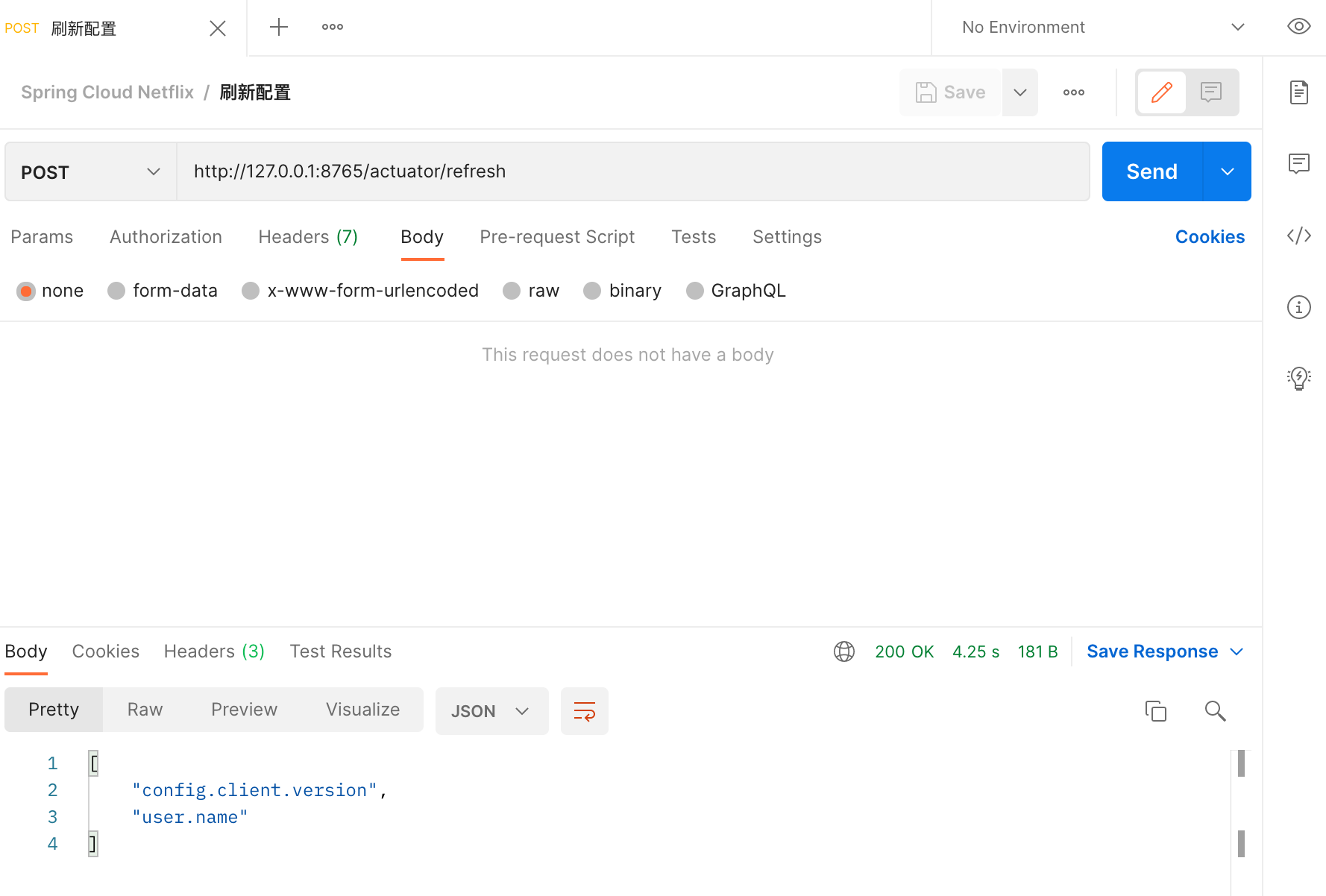
重新访问接口,浏览器显示:
灶门祢豆子
# Spring Boot Profile
我们在做项目开发的时候,生产环境和测试环境的一些配置可能会不一样,有时候一些功能也可能会不一样,所以我们可能会在上线的时候手工修改这些配置信息。但是 Spring 中为我们提供了 Profile 这个功能。我们只需要在启动的时候添加一个虚拟机参数,激活自己环境所要用的 Profile 就可以了。
操作起来很简单,只需要为不同的环境编写专门的配置文件,如:application-dev.yml、application-prod.yml, 启动项目时只需要增加一个命令参数 --spring.profiles.active=环境配置 即可,启动命令如下
java -jar app.jar --spring.profiles.active=prod
上次更新: 5/30/2023, 12:51:40 AM